File manager
Browse directories with Git status, file search and fast keyboard navigation.
- Create, rename, copy, move and delete
- File-name and content search
- Built-in text editor
Rust · Terminal native · MIT
A modern terminal file manager and Git workspace. Browse your project, inspect code, review diffs and commit — without switching apps.
↔ Swipe horizontally · Tap to open full image
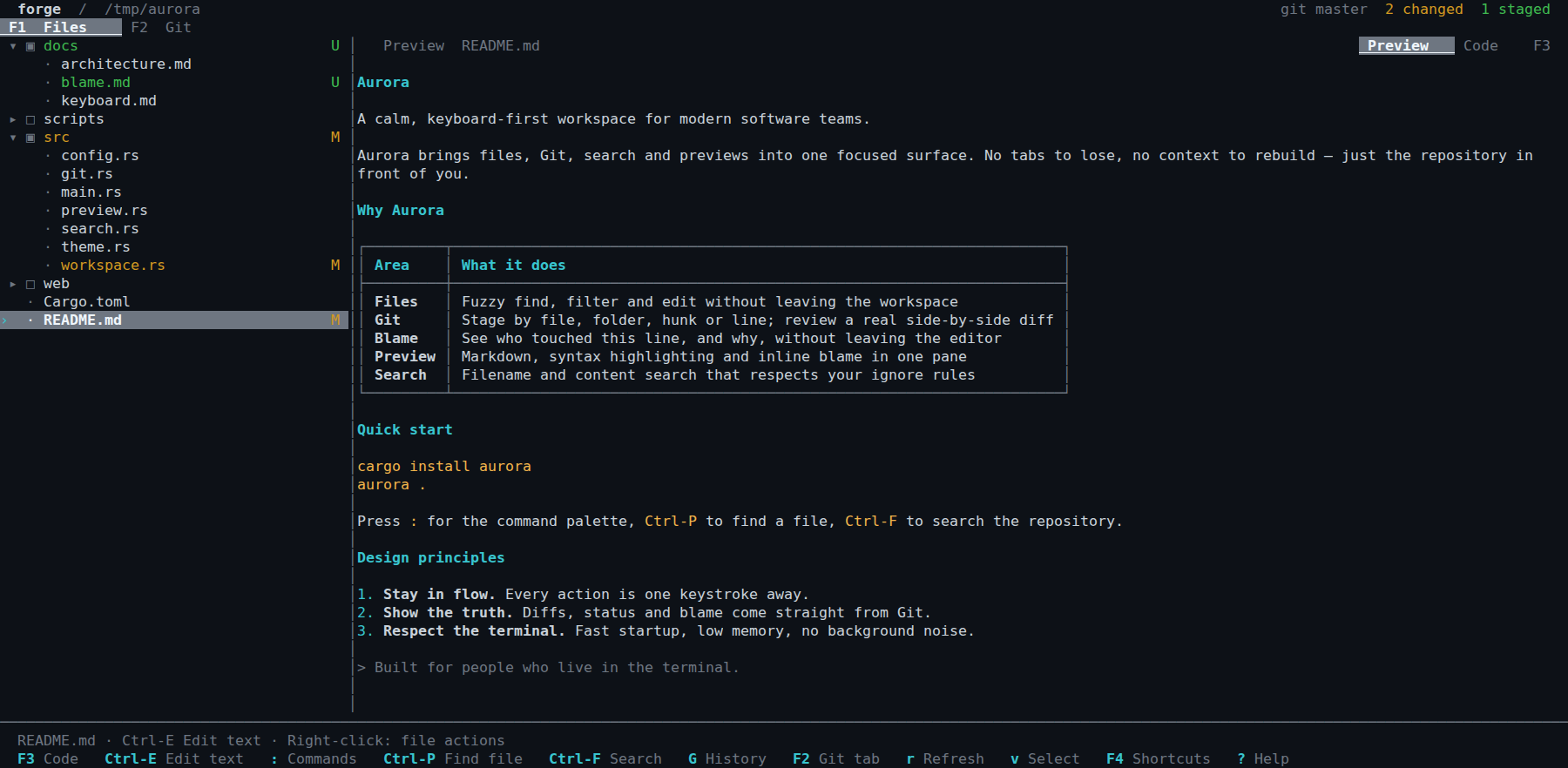
01 / One workspace
Forge combines a file manager and Git client in one SSH, tmux, or local terminal workspace.
Browse directories with Git status, file search and fast keyboard navigation.
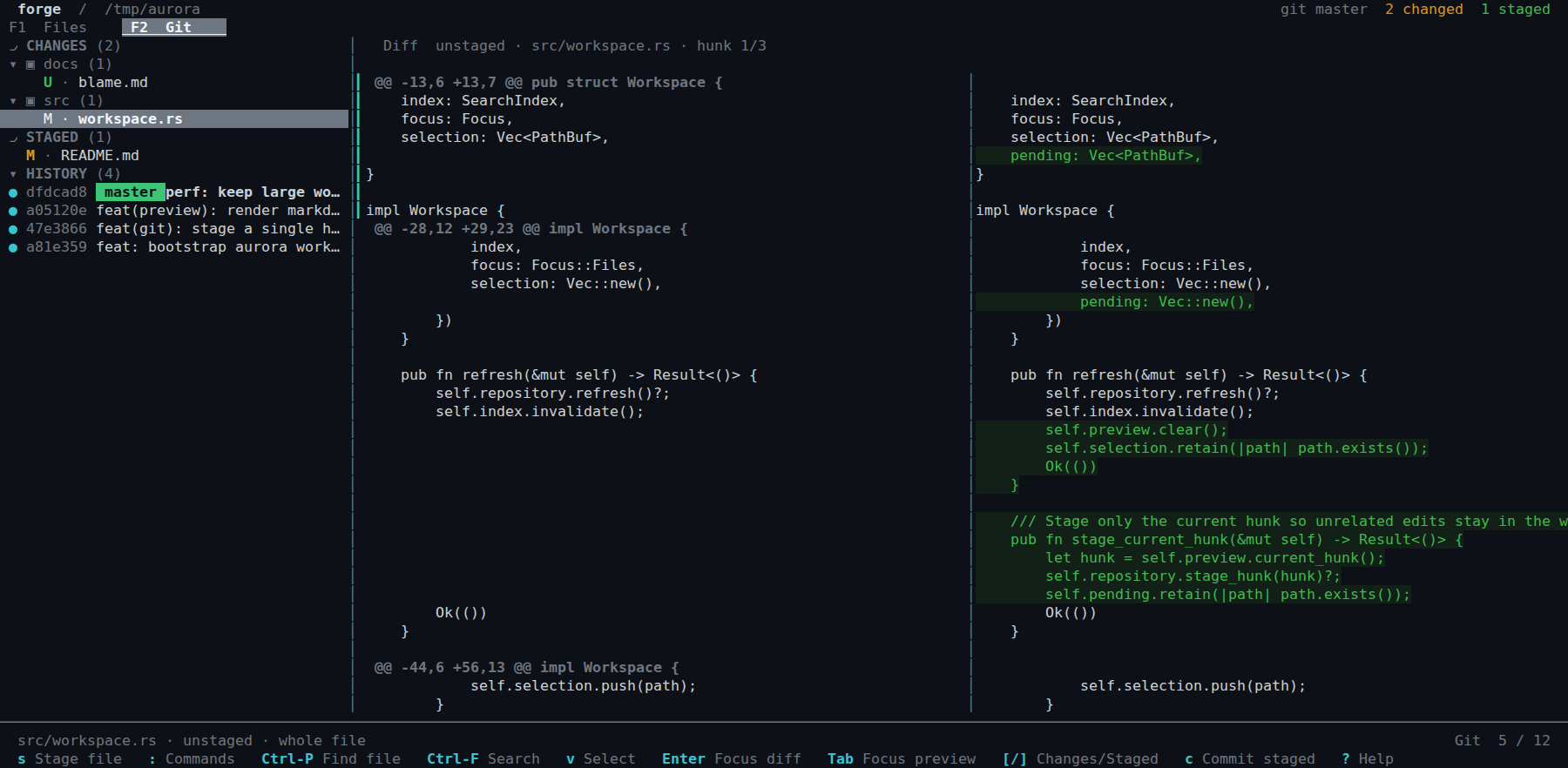
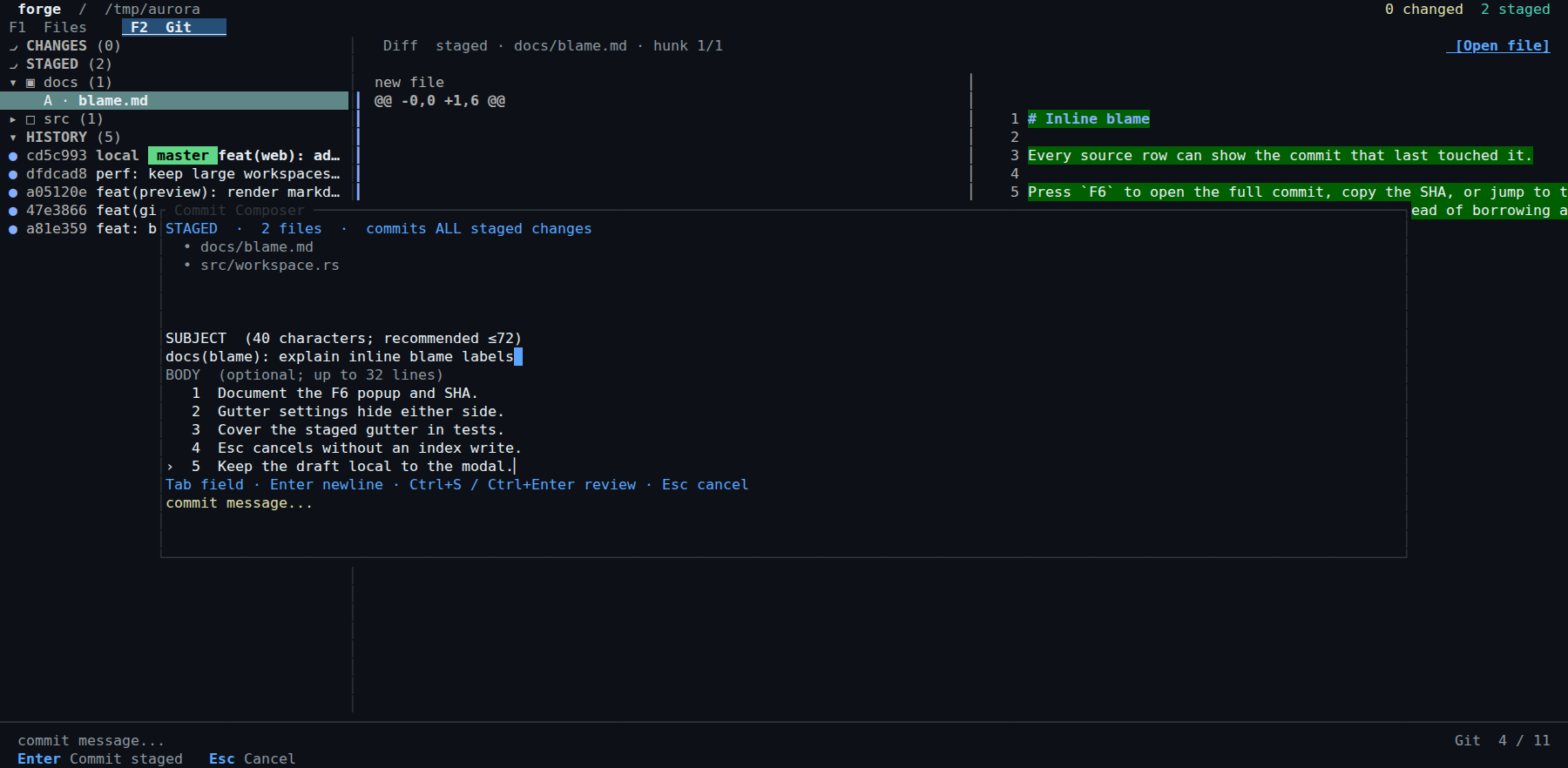
Review changes next to files and stage precisely what belongs in your commit.
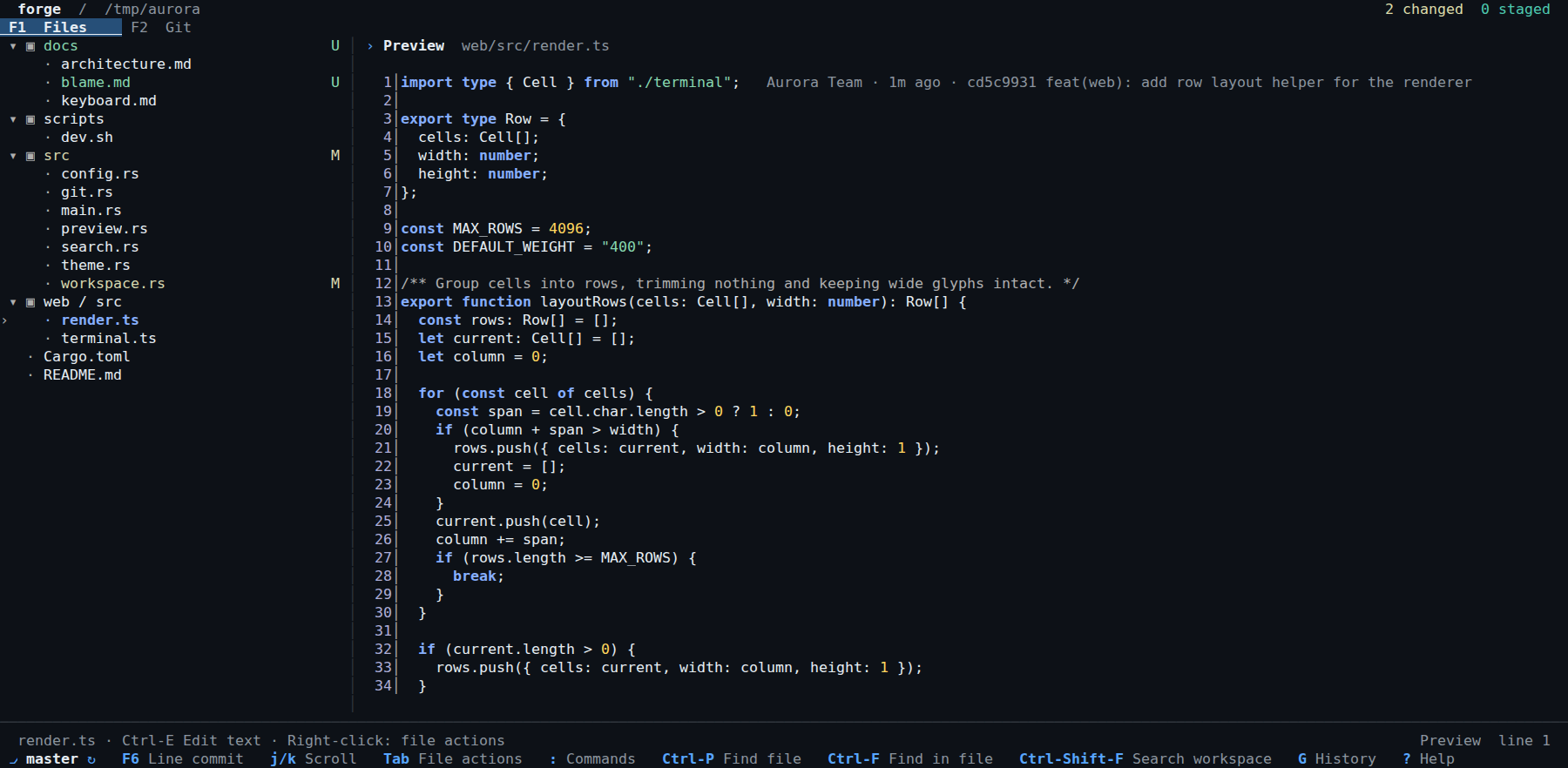
Read source or Markdown without leaving the terminal.
02 / Screenshots
Captured from the running Forge terminal application — no concept mockups.
↔ Swipe to inspect · Tap for full image
↔ Swipe to inspect · Tap for full image
↔ Swipe to inspect · Tap for full image
03 / Questions developers ask
Straight answers about the scope and constraints of the tool, with source documentation for details.
Both. Forge integrates a terminal file tree, source preview and a Git interface. You can inspect files, review diffs and stage modifications in the same TUI.
Git-first tools such as lazygit focus on Git workflows; file-first tools such as ranger focus on navigation. Forge combines file browsing and Git review. These tools overlap rather than having a universal winner.
Forge runs inside a terminal and can be used in SSH or tmux sessions with a compatible terminal. It does not require a graphical desktop or Electron.
v0.2.0 offers Linux glibc binaries for x86_64/aarch64 and macOS binaries for Intel/Apple Silicon. There is no native Windows release in that version; WSL is an alternative.
Read the practical guide: installation, keyboard shortcuts, diff staging and limitations →
04 / Get started
Prebuilt releases for Linux x86_64/aarch64 (glibc) and macOS Intel/Apple Silicon. No Rust toolchain needed.
curl -fsSL https://creature-studio.github.io/forge/install.sh | sh

cd /path/to/your/repo
forge

forge update --check
Review the installer, download a release, or read the README and documentation. The installer verifies SHA-256 checksums.